





Help
How can we help?
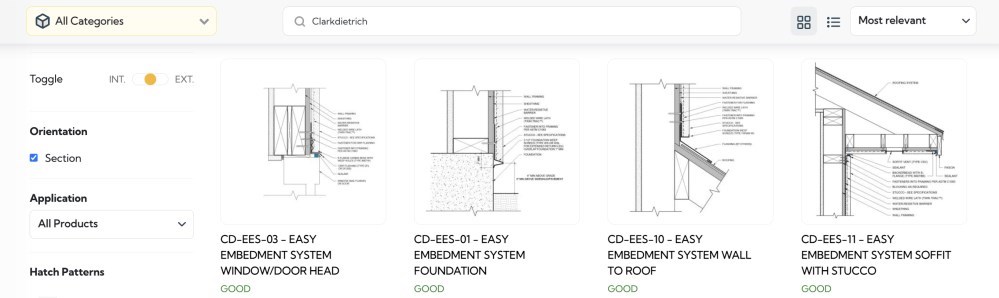
How to Browse Construction Details
Step 1: Navigate to BIMsmith Detail Shelf
Step 2: Use the robust filtering system on the left to narrow your search:
• File Format (Revit, DWG, or PDF)
• Interior / Exterior
• Orientation (Plan, Section, Elevation or 3D Axon)
• Application
Step 3: Use keyword search at the top to find details by material, manufacturer, or specific assembly type.
The filtering system is built by architects who understand how you actually work. Every detail is tagged with professional-grade metadata so you spend less time searching and more time designing.
Featured Brands: